Knell by Sythe Labs
Find the path to your data before an attacker does.
See what is exposed, understand what puts your data at risk, and give your team a clear place to start. Knell brings your cloud security findings and attack paths into one view, with daily scans to track what changes.
AWS, Google Cloud, Azure, and more. No agents to install.
See the risk. Find the path. Know where to act.
Move from a cloud-wide view to the resources that need attention, with the evidence your team needs to investigate.
See where findings are concentrated and whether they are improving, with account scan history in the same view.
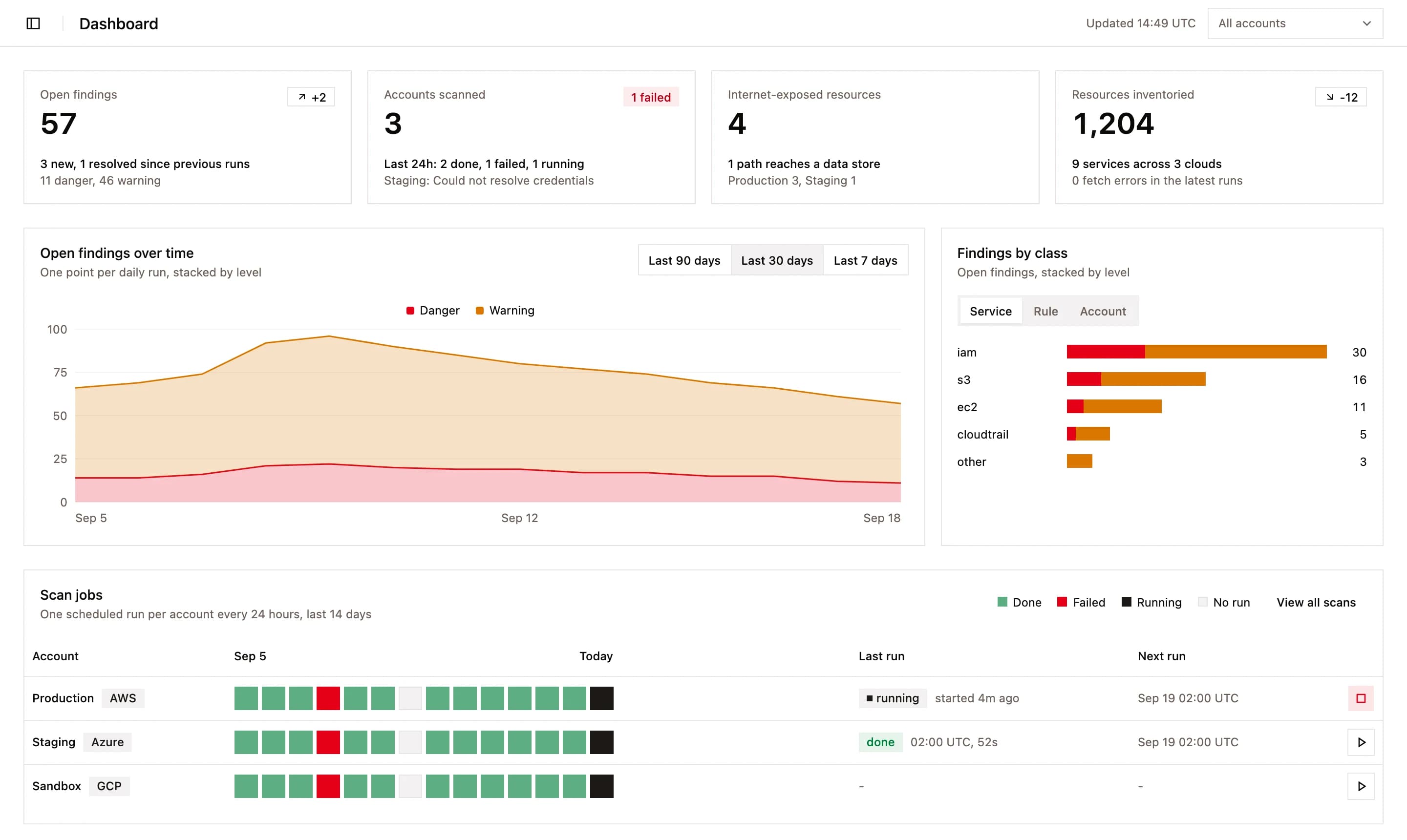
Your cloud estate. One clear picture.
Bring findings from your connected accounts together, so your team can investigate risk without piecing together separate cloud consoles.
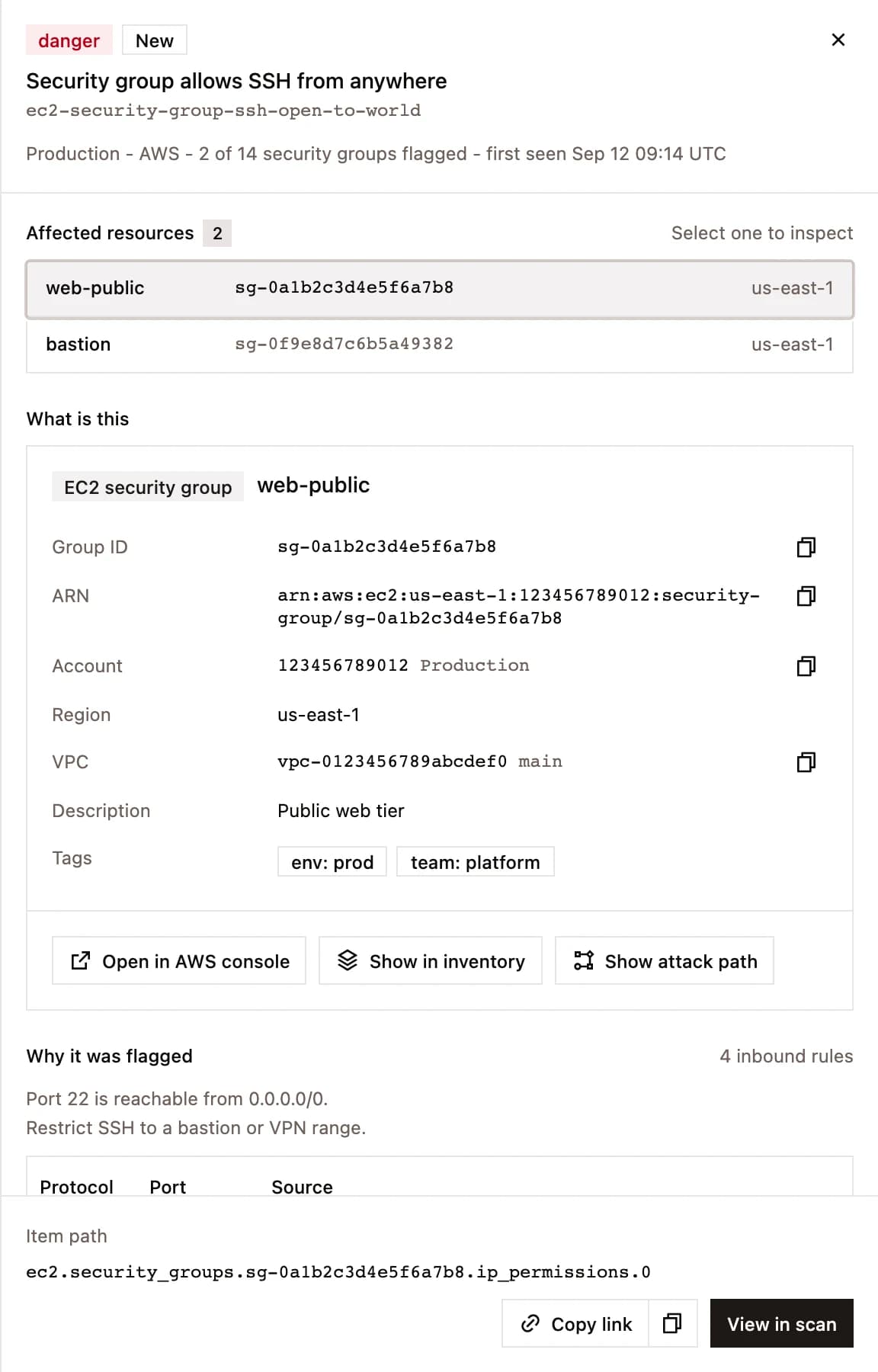
From finding to fix
One view across every connected account, so the question is what to fix first, not where to look.
Know what to fix first
See the severity and affected resources behind each finding. Use attack paths to understand which exposures can lead to your data.
Give your team a clear next step
Open a finding to see the exact rule, policy statement or resource field that failed, with a link straight to the provider console.
Find the gaps in your visibility
Each scan records what it could not read. A permission error shows up as a gap, never as a clean result.
See whether your fixes hold
Daily scans show new and resolved findings, so you can track progress and catch misconfigurations that return.
Connected in three steps
No agent to install. Scans run from Sythe Labs against the provider's own APIs.
- 1
Pick a provider
Sign in and connect your cloud account. AWS, Google Cloud, Azure, and more, together in one place.
- 2
Grant read-only access
Follow the connection steps for your provider. Knell reads your cloud configuration without changing your infrastructure.
- 3
Read the first scan
Test the connection and the first scan starts. After that it runs every day on its own.
One team for SOC 2, pentests and your cloud
Knell is part of the same security program. The engineers who prepare your audit and test your application are the ones you talk to about your cloud.
Compliance
SOC 2, HIPAA, ISO 27001 and more. We run the program and prepare the evidence your auditor asks for.
See compliancePenetration testing
Engineers who break into systems for a living test your application and infrastructure, then help you fix what they find.
See penetration testingCloud posture
Daily scans of every cloud account you connect, with the attack paths that matter first.
Explore KnellFind out what puts your cloud at risk.
Sign in with Google, pick a provider and grant read-only access. The first scan starts as soon as the connection test passes.